Subscription tracker · pay once

Find the leaks in your subscriptions.

See every subscription you pay for in one place, get warned before each charge, and catch free trials before they bill you.

No account · No monthly fee · Your data stays on your computer
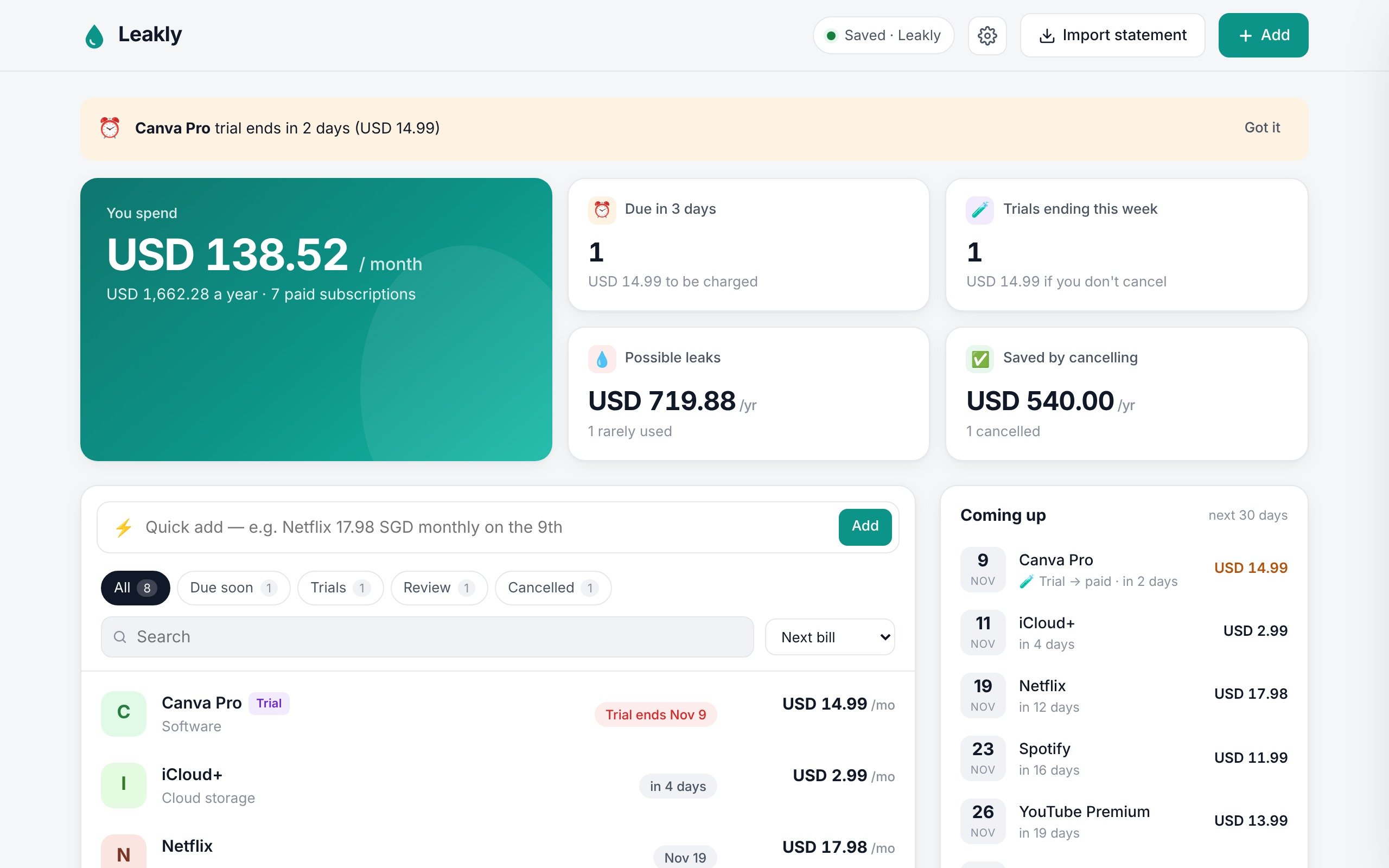
The Leakly dashboard showing monthly spend, upcoming charges and a free-trial warning
The problem

Subscriptions don't announce themselves.

Most of them are small, automatic and easy to forget. That's exactly how they add up.

Free trials that turn paid

You meant to cancel after a week. The card on file didn't forget.

Apps you stopped using

The gym, the course, the app you opened twice. Still charging every month.

Prices that creep up

A dollar here, two dollars there. Rarely with an email you'd notice.

Features

Everything you pay for, finally in one place.

Reminders

Warned before every charge.

Leakly shows what's due in the next few days every time you open it.

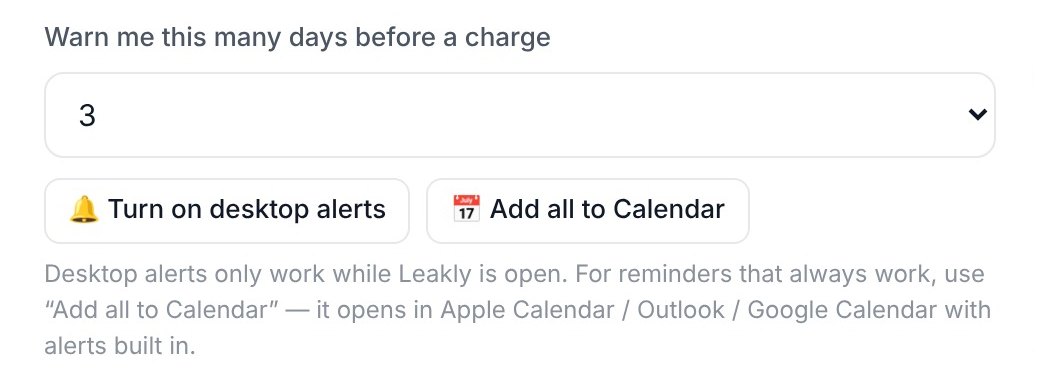
  • Choose how early: 1 to 7 days before
  • One click adds every renewal to Apple Calendar, Outlook or Google Calendar, with alerts
  • Reminders reach your phone through your calendar
Leakly warning banner about an upcoming free-trial charge
Leakly settings with the Add all to Calendar button
Free trials

Catch trials before they bill you.

Mark a subscription as a free trial and Leakly flags the day it turns paid, so you cancel in time or keep it on purpose.

Leakly list showing a free trial and when it ends
Statement import

Find the ones you forgot.

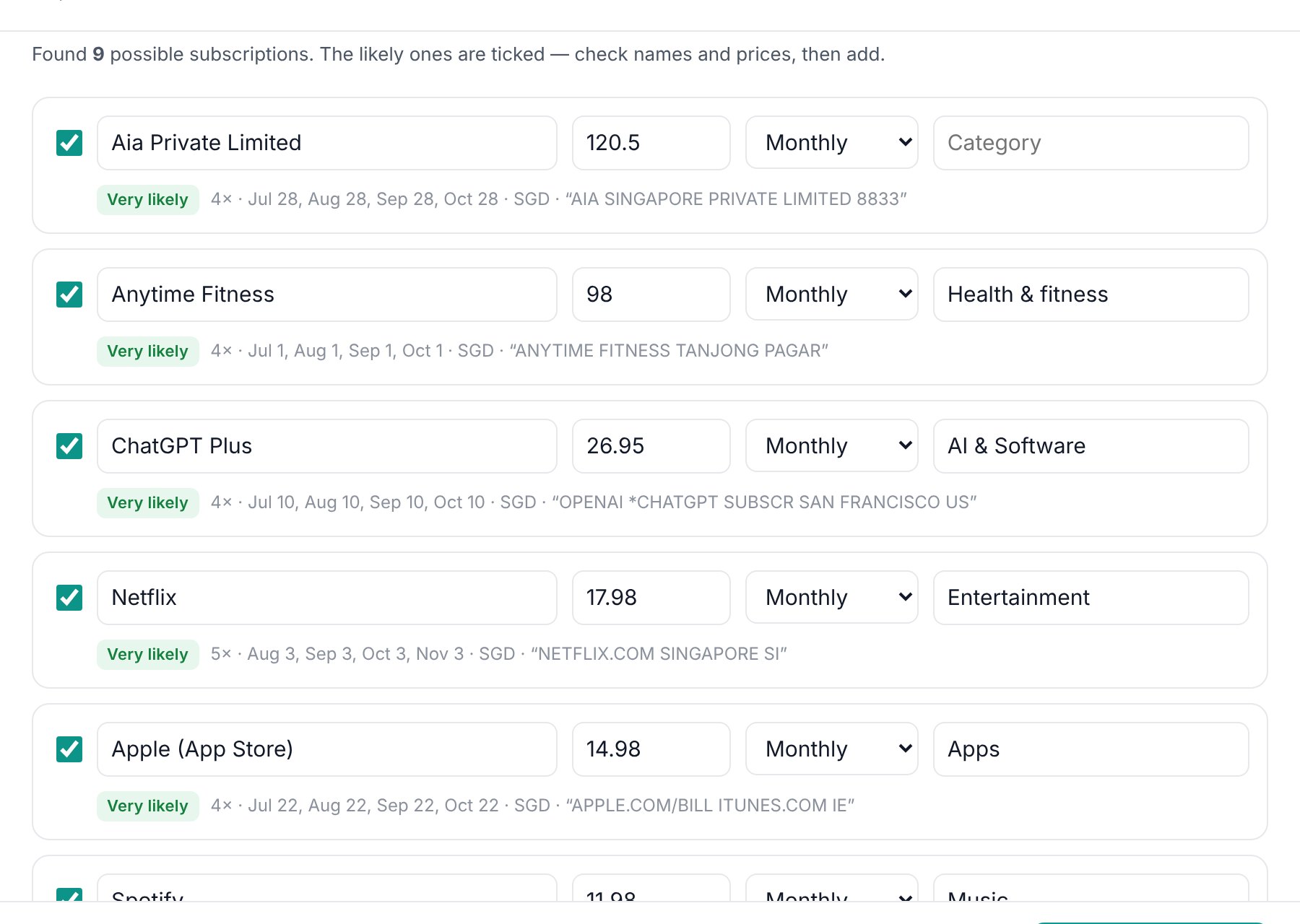
Drop in a bank or credit-card statement as a CSV file. Leakly spots charges that repeat every week, month or year and lists them for you to review and add.

  • Works with most bank and card CSV exports
  • Read on your computer only, never uploaded or saved
Leakly import screen listing repeat charges found in a statement
Price history & totals

See prices creep up.

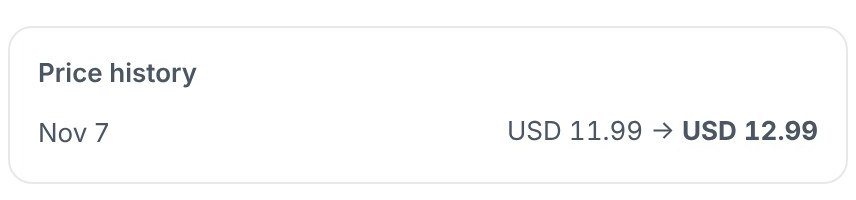
Update a price and Leakly keeps the history and marks the rise. Totals show what you spend per month and per year, in one main currency.

Spotify row with an 8% price rise badge
Price history showing 11.99 to 12.99
See it in action

One minute, the real app.

Quick-adding a subscription, spotting a trial, logging a price rise and putting every renewal in your calendar. No mock-ups: this is Leakly.

Get Leakly · $17.49 once

How it works

Set up in about two minutes.

1

Buy once, download

You get Leakly (a single file) and a step-by-step user guide.

2

Open it in Chrome or Edge

Pick a folder on your computer. Leakly saves your list there automatically.

3

Add your subscriptions

Type them in, or import a bank statement to find them. Then add renewals to your calendar.

Pricing

A tracker that isn't another subscription.

Pay once. Keep it.

$17.49 one time
  • Reminders before every renewal, plus calendar alerts
  • Free-trial tracking
  • Bank statement import (CSV)
  • Price history, totals per month and year, multi-currency
  • Step-by-step user guide (PDF)
  • No account, no monthly fee
Get Leakly
Secure checkout by Whop. Works in Google Chrome or Microsoft Edge on a Mac or Windows computer.
Privacy

Your money data stays yours.

No account

No sign-up, no password, no email needed to use the app.

Saved on your computer

Your list lives in one file, leakly.json, in a folder you choose. Back it up with iCloud, Google Drive or Dropbox if you like.

Nothing uploaded

Bank statements are read on your computer and not stored. The only time Leakly goes online is to fetch exchange rates when you ask it to.

FAQ

Questions

Is Leakly a subscription?

No. You pay $17.49 once and keep it. There's no monthly or yearly fee.

Does it work on my phone?

Leakly runs in Google Chrome or Microsoft Edge on a computer (Mac or Windows). To get reminders on your phone, add your subscriptions to your calendar from Leakly with one click.

Can Leakly cancel subscriptions for me?

No. It reminds you before charges and can store each service's cancel page, so cancelling takes one click on the service's own site.

Does it connect to my bank?

No. If you want, you can import a statement file (CSV) that you download from your bank yourself. Leakly reads it on your computer and doesn't keep it.

Will it find every subscription automatically?

It finds charges that repeat in the statements you import. Yearly subscriptions usually need more than a year of statements, so you may want to add a few by hand.

How do I get help?

After buying, message us from the Support tab in your Whop account.